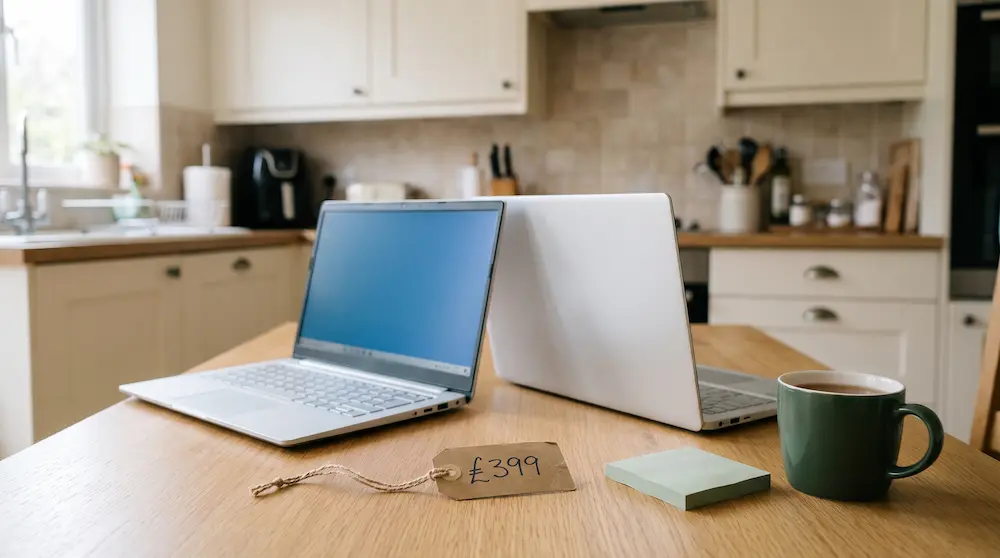
For under £400, the three things that matter most are memory (RAM), the type of storage and the screen. Aim for at least 8GB of RAM (16GB if you can stretch to it), a 256GB SSD rather than “eMMC” storage, and a Full HD screen. If a new laptop can’t hit those numbers in your budget, a good refurbished business laptop will usually beat a cheap new one.
Why are laptops more expensive this year?
There’s a worldwide shortage of memory chips right now, mostly because AI data centres are buying them up by the shipload. That’s pushed up the price of laptops, phones and tablets across the board, and Which? reports that manufacturers expect those higher costs to carry on through the second half of 2026.
In practice it means two things for you. Fewer jaw-dropping deals, and more budget laptops quietly cutting corners on memory to hit a price. So it pays to know what to look for before you start browsing.
What specs actually matter under £400?
Memory (RAM): 8GB minimum, 16GB if you can
Think of RAM as your kitchen worktop. The more you’ve got, the more you can have on the go at once without things grinding to a halt. With 8GB you can browse, do emails, write documents and video call the grandkids comfortably. If you’re the sort of person with 20 tabs open, go for 16GB.
If you see 4GB, walk away. It’ll feel slow out of the box and only get worse as Windows updates pile up.
Storage: look for “SSD”, not “eMMC”
Cheap laptops often use eMMC storage, which is basically the same kind of memory chip you’d find in a phone. It’s slow, and the 64GB or 128GB versions fill up with Windows updates alone. You end up with a laptop that constantly nags you about space.
You want an SSD (sometimes listed as “NVMe SSD”) of at least 256GB.
Processor: a quick decoder
Processor names are a mess, so here’s the short version.
- Good: Intel Core i3 or i5 (12th generation or newer), or AMD Ryzen 3 or Ryzen 5 (7000 series or newer)
- Fine for light use: Intel N100 or N200, often listed as “Intel Processor N100”
- Avoid: anything called Celeron, Pentium or Athlon
To check the generation of an Intel chip, look at the numbers after the dash. An “i5-1235U” is 12th generation, because it starts with 12.
Screen: Full HD or nothing
Look for “Full HD”, “FHD” or “1920 x 1080”. Some budget models still use a 1366 x 768 screen, sold as “HD”. It sounds similar but looks noticeably fuzzier, and you’ll be staring at it every day.
What should I avoid?
- 4GB of RAM
- eMMC storage, especially 64GB or 128GB
- 1366 x 768 “HD” screens
- Anything still running Windows 10, or old enough that it can’t run Windows 11
That last one matters. Windows 10 officially reached the end of support in October 2025. Microsoft has since extended its paid-for (or free with conditions) security updates for home users until 12 October 2027, but that’s a stopgap. There’s no point buying a laptop with an expiry date already baked in.
One more thing to watch for: “Windows 11 in S mode”. It only lets you install apps from the Microsoft Store. Switching out of it is free and only takes a few minutes, but it’s one-way, so it’s worth knowing before you buy.
Should I buy new or refurbished?
This is where you can get a lot more for your money. Ex-business laptops like the Lenovo ThinkPad, Dell Latitude and HP EliteBook were built to survive years of office life. A refurbished one that’s three or four years old will often come with 16GB of RAM, a proper SSD and a much better keyboard than a cheap new laptop at the same price.
If you go refurbished, check for:
- At least a 12-month warranty
- A reputable seller, such as Back Market, Refurbed or the manufacturer’s own refurbished store
- Battery health stated in the listing
- Windows 11 already installed and activated
- The cosmetic grade, so you know whether to expect scuffs
Facebook Marketplace bargains can be fine, but you get no warranty, and stolen or locked laptops do turn up. If the price looks too good, have a read of our Black Friday scams post first.
What about a Chromebook?
If you mostly use the internet, email, video calls and iPlayer, a Chromebook under £400 can be a cracking choice. They start up quickly, update themselves and you don’t need to worry much about viruses.
Before you buy one, check its “Auto Update Expiration” date. Google publishes it for every model, and after that date the laptop stops getting security updates. Newer models get up to 10 years, but older stock on clearance can be much closer to the end.
A Chromebook isn’t the right fit if you need the full desktop version of Microsoft Office, specialist software, or an older printer that only works with Windows.
Is Black Friday a good time to buy a laptop?
It can be, but be careful. Some of the cheapest Black Friday laptops are models made specifically for the sales, with exactly the corners cut that we’ve covered above. Check the spec against this list before you get excited about the price.
A price comparison site like PriceSpy shows you a product’s price history, so you can see whether that “50% off” is real. And buy from a retailer you know, ideally on a credit card, which gives you extra protection on purchases between £100 and £30,000.
Quick checklist
- 8GB of RAM at least, 16GB ideally
- 256GB SSD, not eMMC
- Full HD (1920 x 1080) screen
- Intel Core i3 or i5 (12th gen or newer) or AMD Ryzen 3 or 5 (7000 series or newer)
- Windows 11, or a Chromebook with years left on its update date
- Warranty, and a seller you trust
Frequently asked questions
Is 8GB of RAM enough in 2026?
For browsing, email, Microsoft Office and video calls, yes. If you keep lots of tabs open or edit photos, 16GB will feel noticeably smoother and last longer.
How long should a budget laptop last?
Pick sensible specs and you should get four or five good years out of it. The ones that struggle after a year are usually the 4GB, eMMC models.
Is it safe to buy a refurbished laptop?
Yes, from a reputable seller with a warranty. A good refurbisher wipes the laptop, tests it and reinstalls Windows, so it should arrive like new inside, even if there are a few marks on the outside.
Should I get a Chromebook or a Windows laptop?
If everything you do happens in a web browser, a Chromebook is simpler and cheaper to run. If you need particular programs, the desktop version of Office or a Windows-only printer, go Windows.
Do I need to buy antivirus for a new laptop?
For most home users, no. The Windows Security app built into Windows 11 does a good job, as long as you keep Windows updated.
Want a second opinion before you buy?
If you’re in Milton Keynes and you’ve got a shortlist, send me the links on WhatsApp or give me a ring on 07719 694943, and I’ll give you my honest take. Once it arrives, I can set it up for you too: updates, moving your files and photos across, and clearing out the junk software it came with.
More help: Why is my laptop so slow? 6 easy fixes to try first · Black Friday scams: fake shops, fake deals and fake delivery texts